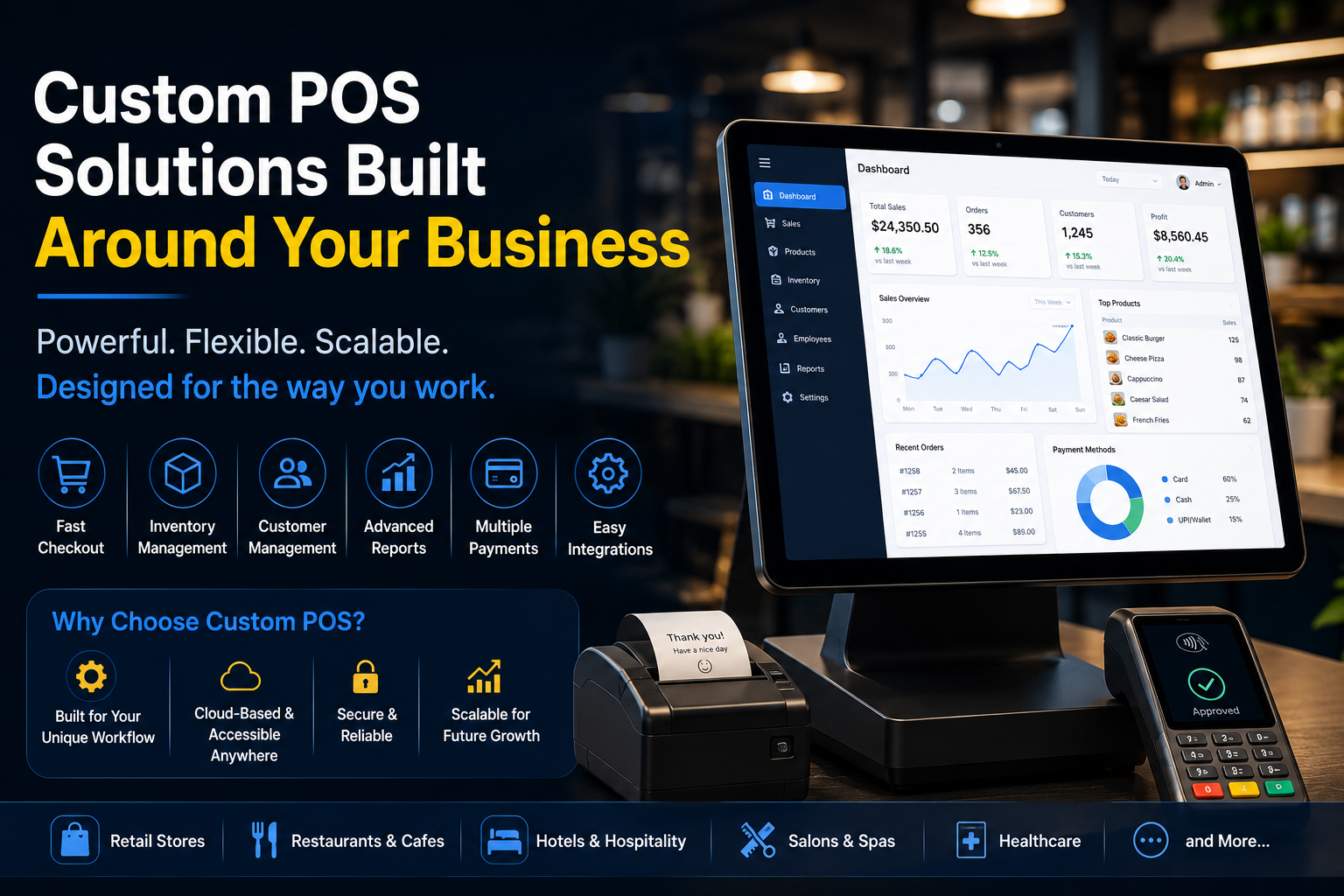
A point-of-sale system is no longer just a tool for processing payments.
Modern businesses use POS technology to manage sales, inventory, customers, employees, reports, promotions, payments, and daily operations. For many companies, the POS system has become the digital center of the business.
However, many businesses still rely on generic, one-size-fits-all POS software.
These systems may work well in the beginning, but as a business grows, new challenges often appear:
- Important features are missing
- Workflows do not match daily operations
- Customization options are limited
- Integrations are difficult
- Reporting does not provide the required insights
- Monthly software costs continue to increase
- The business must adapt its processes to the software
This is why more organizations are investing in custom POS development.
A custom POS solution is designed around the way a business operates. Instead of forcing employees to follow generic workflows, the software can be built to support the company’s specific requirements.
At Custom POS Developers, we create secure, scalable, and user-friendly POS applications designed for modern business operations.
What Is a Custom POS System?
A custom POS system is a point-of-sale application developed specifically for a business, industry, or operational model.
It can be designed to manage:
- Sales transactions
- Product catalogs
- Inventory
- Customer information
- Employee access
- Discounts and promotions
- Payments
- Taxes
- Orders
- Reports
- Multi-location operations
Custom POS software can be developed for:
- Retail businesses
- Restaurants
- Cafés
- Hotels
- Salons and spas
- Healthcare providers
- Warehouses
- Service businesses
- Franchise operations
- Specialty stores
The system can include only the features the business needs while allowing additional functionality to be added as the company grows.
The Problem with One-Size-Fits-All POS Software
Generic POS platforms are designed to serve many different businesses.
To support a large customer base, they often use standardized features and workflows.
This can create challenges for businesses with unique requirements.
Limited Customization
A business may need a specific order flow, pricing rule, approval process, or reporting format.
Generic software may not support these requirements.
Unnecessary Features
Businesses may pay for tools they never use.
Extra features can also make the system more difficult for employees to understand.
Missing Integrations
A company may need its POS system to connect with:
- Accounting software
- E-commerce platforms
- CRM systems
- Inventory tools
- Loyalty programs
- Delivery platforms
- ERP software
Generic platforms may offer limited integrations or charge additional fees.
Recurring Subscription Costs
Monthly fees can increase as businesses add:
- More users
- More locations
- Additional features
- Advanced reporting
- Third-party integrations
A custom solution may require a larger initial investment, but it can provide greater long-term control depending on the business model and development approach.
Limited Ownership and Control
With a third-party POS platform, businesses depend on the provider’s product roadmap, pricing, policies, and feature decisions.
A custom POS system can provide greater control over the application’s functionality and future development.
Key Benefits of Custom POS Development
1. Built Around Your Business Workflow
A custom POS system can reflect the way employees already work.
For example, a restaurant may require:
- Table management
- Split billing
- Kitchen order tickets
- Menu modifiers
- Staff permissions
A retail business may need:
- Barcode scanning
- Product variants
- Stock alerts
- Returns management
- Customer loyalty features
The system can be designed around the specific industry and workflow.
2. Better Employee Experience
Complex software can slow employees down.
A custom interface can prioritize the most important actions and reduce unnecessary steps.
This may help:
- Reduce training time
- Improve transaction speed
- Minimize input errors
- Increase employee confidence
3. Advanced Reporting
Businesses need more than basic sales totals.
Custom dashboards can provide insights such as:
- Sales by location
- Product performance
- Employee performance
- Inventory movement
- Peak business hours
- Customer behavior
- Promotion results
Reports can be designed around the metrics that matter to the business.
4. Seamless Integrations
A custom POS solution can be connected with existing business systems.
Possible integrations include:
- Payment gateways
- Accounting platforms
- CRM software
- E-commerce websites
- Mobile applications
- Inventory systems
- ERP platforms
- Loyalty programs
Connected systems can reduce duplicate data entry and improve operational visibility.
5. Multi-Location Management
Growing businesses may need centralized control across multiple locations.
A custom POS platform can support:
- Location-specific pricing
- Central inventory visibility
- Employee permissions
- Consolidated reporting
- Regional tax settings
- Location-level performance analysis
6. Scalability
A custom POS system can be designed with future growth in mind.
Businesses can add:
- New locations
- New users
- New products
- Additional payment methods
- Mobile ordering
- Customer applications
- AI-powered analytics
The system can evolve with changing business requirements.
Essential Features of a Modern Custom POS System
Fast and Secure Checkout
The checkout experience should be simple, reliable, and efficient.
Features may include:
- Barcode scanning
- Multiple payment methods
- Split payments
- Discounts
- Tax calculations
- Digital receipts
- Refund processing
Inventory Management
Inventory tools can help businesses track stock levels and reduce unnecessary shortages.
Possible features include:
- Real-time inventory updates
- Low-stock alerts
- Product variants
- Supplier information
- Purchase orders
- Stock transfers
Customer Management
Customer information can help businesses provide more personalized experiences.
A POS system may support:
- Customer profiles
- Purchase history
- Loyalty points
- Rewards
- Personalized offers
Employee Management
Role-based access can help businesses manage employee responsibilities.
Features may include:
- Employee accounts
- Permission controls
- Shift management
- Sales tracking
- Approval workflows
Reporting and Analytics
Real-time dashboards can help managers understand business performance.
Reports may include:
- Daily sales
- Revenue trends
- Product performance
- Inventory movement
- Employee activity
- Location comparisons
Offline Functionality
Internet connections may occasionally fail.
Offline capabilities can allow selected POS functions to continue temporarily, with data synchronized when connectivity returns.
The exact design depends on payment requirements, security controls, and the business workflow.
AI-Powered Custom POS Systems
Artificial intelligence is creating new opportunities for POS technology.
AI can help businesses analyze data and identify useful patterns.
Potential applications include:
- Sales forecasting
- Inventory demand prediction
- Product recommendations
- Customer behavior analysis
- Automated business insights
- Unusual transaction detection
- Smart promotion recommendations
For example, an AI-enabled POS system may identify that a product sells more frequently during specific hours and recommend inventory adjustments.
AI should support business decision-making rather than replace appropriate human oversight.
Mobile and Cloud-Based POS Solutions
Modern POS systems are no longer limited to a single checkout counter.
Cloud technology can provide access to business information across multiple locations and devices.
Mobile POS applications can allow employees to:
- Process transactions
- Check inventory
- View customer information
- Create orders
- Accept payments
- Access business reports
This can improve flexibility in retail stores, restaurants, events, and field-service environments.
Security Considerations for Custom POS Software
POS systems may process sensitive business and payment information.
Security should be considered throughout development.
Important practices may include:
- Secure authentication
- Role-based access
- Data encryption
- Secure payment integrations
- Activity logging
- Regular software updates
- Vulnerability testing
- Backup and recovery planning
Payment-related systems may also need to follow applicable security and compliance requirements.
How Custom POS Developers Builds POS Solutions
At Custom POS Developers, we begin by understanding the business—not by selecting a generic software template.
Our process includes:
1. Business and Workflow Discovery
We learn how the business manages:
- Sales
- Orders
- Inventory
- Customers
- Employees
- Payments
- Reporting
2. POS Strategy and Architecture
We define the required features, user roles, integrations, security requirements, and growth plan.
3. UI/UX Design
We create an interface that supports fast, simple, and efficient daily use.
4. Custom POS Development
Our team develops the POS application based on the business’s requirements.
5. Integration
We connect the POS platform with relevant payment, inventory, accounting, CRM, e-commerce, and business systems.
6. Testing
The system is tested for functionality, performance, security, usability, and reliability.
7. Deployment and Support
After launch, we provide support for updates, improvements, maintenance, and future features.
Industries We Support
Custom POS solutions can be developed for:
- Retail
- Restaurants
- Cafés
- Hospitality
- Salons and spas
- Healthcare
- Warehousing
- Franchises
- Specialty businesses
- Service-based companies
Why Choose Custom POS Developers?
Custom POS Developers helps businesses build POS technology that supports their current operations and future goals.
Our services include:
- Custom POS Software Development
- Retail POS Development
- Restaurant POS Development
- Cloud POS Development
- Mobile POS Application Development
- POS Payment Integration
- Inventory Management Software
- POS Dashboard Development
- Multi-Location POS Solutions
- AI-Powered POS Analytics
- POS System Modernization
- POS Integration Services
We focus on building practical, scalable, and user-friendly systems designed around real business workflows.
Conclusion
Generic POS software may be a useful starting point, but growing businesses often need more flexibility, control, and customization.
A custom POS system can help organizations create faster workflows, improve reporting, connect business tools, support multiple locations, and build technology around their specific needs.
The right POS platform should not force a business to change how it operates.
It should help the business operate better.
At Custom POS Developers, we build tailored POS solutions that support efficient operations, better customer experiences, and long-term growth.
Ready to build a POS system designed for your business? Connect with Custom POS Developers to create a secure, scalable, and intelligent custom POS solution.
Comments