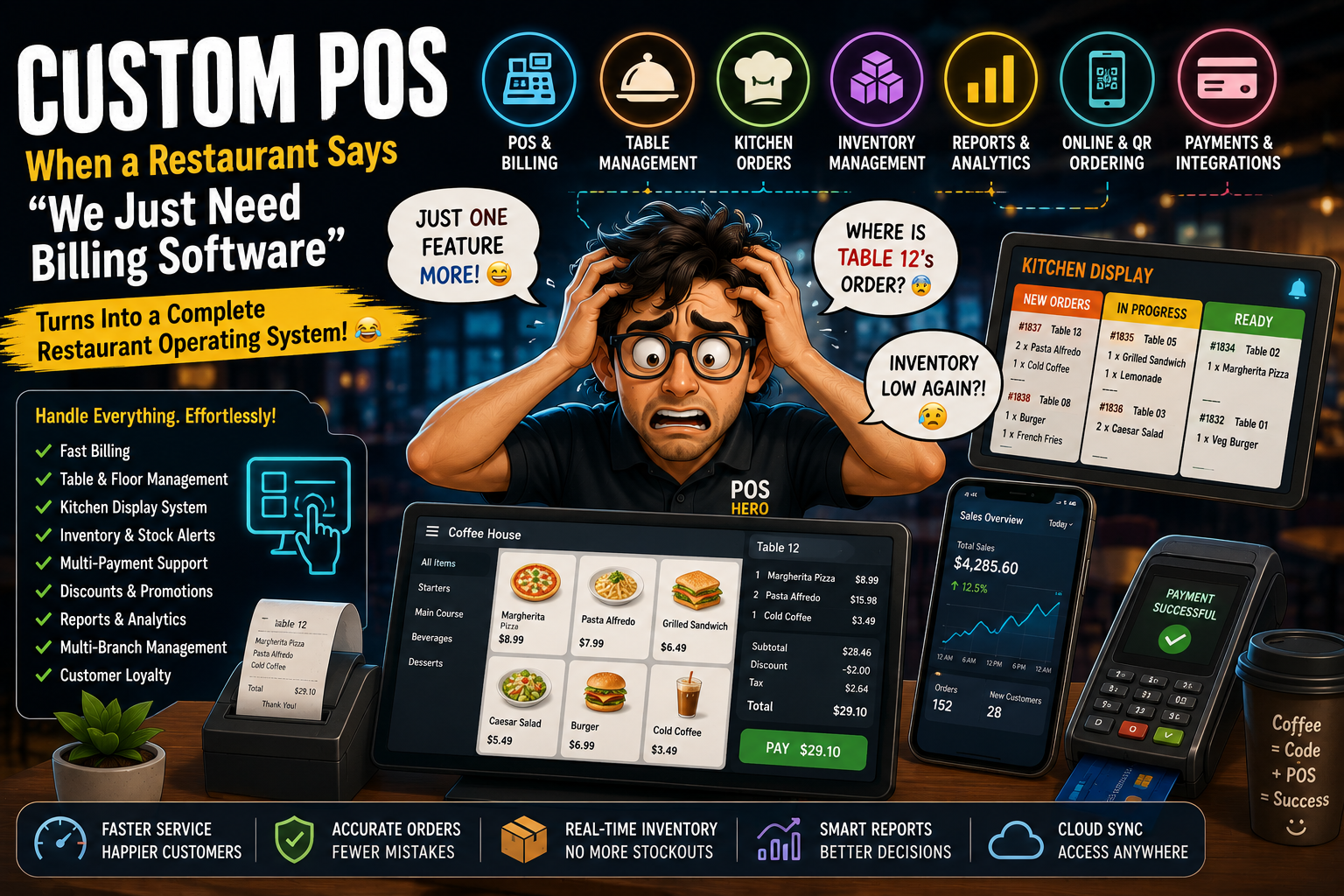
Every restaurant POS project begins with the same sentence:
“We only need a simple billing system.”
Developer:
“Sure. That’s easy.”
Then comes the real requirement list.
Billing.
Payments.
Menu management.
Inventory.
Kitchen orders.
Tables.
Customer management.
Discounts.
Reports.
Online ordering.
Loyalty.
Multi-location support.
And finally:
“Can we add one small feature?”
Developer:
“Of course.” ☕😂
Three months later, the “small billing system” has become a complete restaurant management platform.
Welcome to the wonderful world of custom POS software development.
What Is Custom POS Software?
A custom POS system is software designed around the specific workflows of a business instead of forcing the business to adapt to a generic POS platform.
A restaurant POS can connect:
Order Taking 📱
↓
POS 💻
↓
Kitchen 👨🍳
↓
Inventory 📦
↓
Payment 💳
↓
Reports 📊
↓
Management 🚀
The customer sees:
“Your order is confirmed.”
The restaurant sees:
“Where is Table 12’s order?” 😂
The Famous “Just Add One Feature”
This is how every POS project grows.
Client:
“Can we add table management?”
Developer:
“Yes.”
Then:
“Can we add kitchen display?”
Sure.
“Can we add delivery orders?”
Okay.
“Can we add loyalty points?”
Fine.
“Can customers order using QR codes?”
Yep.
“Can we have multiple branches?”
Sure.
“Can the owner see all branches from one dashboard?”
Absolutely.
Then:
“Just one more thing…”
Developer:
👁️👄👁️
😂
The POS Screen During Dinner Rush
It’s 8:30 PM.
Restaurant is full.
Orders are coming in.
Phone is ringing.
Delivery driver is waiting.
Kitchen printer is printing.
Customer is asking for the bill.
Manager is asking about sales.
And someone says:
“The POS isn’t working.”
😂
This is exactly why restaurant POS software needs to be designed for speed, reliability, and simplicity.
During a quiet afternoon, almost any interface can look good.
During dinner rush?
That’s the real test.
The Restaurant Table Number Mystery
Waiter:
“Table 18 ordered pasta.”
Kitchen:
“Which table?”
Waiter:
“18.”
Kitchen:
“Where is 18?”
Waiter:
“Near 17.”
😂
A good POS system can make table management much easier.
The system can provide a visual representation of:
- Available tables
- Occupied tables
- Reserved tables
- Orders
- Payment status
- Table transfers
Instead of:
“Which table was that again?”
the POS can answer:
“Table 18. Two guests. Pasta + pizza. Payment pending.”
Kitchen Display System: Where Orders Go to Get Serious
The customer sees:
Order Confirmed ✅
The kitchen sees:
ORDER #1837
And suddenly everyone moves at maximum speed.
A modern restaurant POS can connect orders directly with kitchen operations.
For example:
Waiter POS
↓
Order
↓
Kitchen Display System
↓
Preparation
↓
Ready
↓
Serving
This reduces unnecessary communication between front-of-house and kitchen staff.
And hopefully reduces the classic:
“Who took Table 7’s order?”
😂
“Can We Change the Menu?”
Restaurant menus change constantly.
New dish.
Old dish removed.
Price changed.
Special offer.
Weekend menu.
Seasonal menu.
Different branch.
A custom POS should make menu management easier.
Managers may need to control:
- Products
- Categories
- Prices
- Variants
- Add-ons
- Modifiers
- Taxes
- Discounts
- Availability
Because the restaurant should not need a developer every time someone changes the price of a burger.
🍔😂
Inventory: The Ingredient Detective
Restaurant owner:
“We had 50 bottles yesterday.”
POS:
“You sold 12.”
Inventory:
“There are 31.”
Owner:
“Where did the other 7 go?”
😂
Inventory management becomes especially important for restaurants dealing with:
- Ingredients
- Beverages
- Packaging
- Stock transfers
- Waste
- Purchase orders
- Supplier management
A connected POS can help businesses understand what’s coming in, what’s being sold, and what’s being consumed.
The Great “Out of Stock” Problem
Customer:
“I’d like the special pasta.”
Waiter:
“Sure.”
Kitchen:
“We’re out of the main ingredient.”
Waiter:
😐
Customer:
😐
Manager:
😐
POS:
“Available.”
😂
Real-time inventory and menu availability can help prevent situations where staff sell something that the kitchen can’t actually prepare.
Discounts: The Beginning of Chaos
Customer:
“Do you have a discount?”
Waiter:
“Maybe.”
Manager:
“Use the weekend promotion.”
Cashier:
“Which one?”
POS:
“There are 14 active discounts.”
😂
A well-designed custom POS can manage:
- Percentage discounts
- Fixed discounts
- Coupons
- Promotional pricing
- Loyalty offers
- Customer-specific promotions
- Time-based offers
The important part is keeping the rules simple enough for staff to use quickly.
The Payment Screen 💳
Customer:
“Can I pay by card?”
Sure.
“Can I split the bill?”
Sure.
“Can I pay half cash and half card?”
Okay.
“Can my friend pay for the drinks?”
…
😂
Restaurant POS systems may need to support different payment scenarios depending on the business.
Examples include:
- Cash
- Card
- Digital payments
- Split payments
- Partial payments
- Refunds
- Tips
- Gift cards
The checkout experience should remain simple even when the underlying logic isn’t.
QR Ordering: “I Don’t Need a Waiter”
Customer sits down.
Scans QR code.
Menu opens.
Selects food.
Places order.
Kitchen receives it.
Staff prepares it.
Customer pays.
Welcome to:
QR-based restaurant ordering.
😂
QR ordering can integrate directly into a restaurant POS ecosystem.
A possible flow:
QR Code
↓
Digital Menu
↓
Customer Order
↓
POS
↓
Kitchen
↓
Payment
↓
Order Completed
Fewer manual steps can mean faster ordering and fewer opportunities for order-entry mistakes.
The Manager Who Wants Everything on One Dashboard
Restaurant manager:
“How much did we sell today?”
POS:
₹1,84,500
Manager:
“What about yesterday?”
POS:
₹1,62,000
Manager:
“Best-selling item?”
POS:
Butter Chicken
Manager:
“Which branch performed best?”
POS:
Branch 3
Manager:
“Why?”
POS:
“Would you like a report?”
😂
That’s the value of POS analytics.
Instead of guessing, management can use data to understand:
- Sales
- Revenue
- Orders
- Popular products
- Staff performance
- Inventory
- Discounts
- Branch performance
Multi-Location POS: When One Restaurant Becomes Five
One location:
Easy.
Then the business grows.
Branch 2.
Branch 3.
Branch 4.
Now the owner wants:
“Can I manage everything from one place?”
That’s where a multi-location POS architecture becomes valuable.
A centralized system can potentially manage:
Head Office
↓
Branch 1
Branch 2
Branch 3
Branch 4
while maintaining appropriate branch-level controls.
The Internet Goes Down
Everything is working perfectly.
Then:
Internet: ❌
Restaurant:
“But customers are still here!”
😂
This is why POS systems should consider what happens during connectivity problems.
Depending on the architecture, businesses may need:
- Offline order handling
- Local data storage
- Queueing
- Synchronization
- Automatic retry
- Conflict resolution
Because a restaurant can’t simply close because the Wi-Fi router decided to have a bad day.
POS + Accounting
Restaurant owner:
“Can the POS send data to accounting?”
Yes.
And suddenly the system needs another integration.
POS
↓
Accounting Software
↓
Financial Reports
↓
Business Decisions
Integrations can help reduce manual data entry and improve operational efficiency.
POS + Online Ordering
Today restaurants often operate through multiple channels:
- In-store
- Website
- Mobile app
- QR ordering
- Delivery platforms
- Phone orders
The challenge?
Keeping orders organized.
A connected POS can centralize information from multiple ordering channels.
Instead of:
Five screens + three phones + one confused employee
you want:
One organized system.
😂
The Restaurant POS Developer’s Daily Checklist
☑ Menu working?
☑ Prices correct?
☑ Tables showing?
☑ Kitchen receiving orders?
☑ Inventory updating?
☑ Payments processing?
☑ Receipts printing?
☑ Discounts working?
☑ QR ordering working?
☑ Reports accurate?
☑ Internet working?
☑ Printer connected?
☑ Manager happy?
☑ Customer happy?
☑ Another feature request?
☑ COFFEE ☕
Custom POS vs Generic POS
A generic POS provides predefined features.
A custom POS can be designed around the restaurant’s specific workflow.
| Generic POS | Custom POS |
|---|---|
| Predefined workflows | Business-specific workflows |
| Limited customization | Flexible customization |
| Standard reports | Custom reporting |
| Standard integrations | Custom integrations |
| Fixed features | Expandable features |
| One-size-fits-many | Designed for specific needs |
The best choice depends on the restaurant’s requirements, budget, scale, and operational complexity.
What Makes a Great Custom POS?
A good restaurant POS should be:
⚡ Fast
Staff shouldn’t spend 30 seconds searching for a menu item.
🧠 Simple
Employees should learn the system quickly.
🔒 Secure
Customer, payment, and business data need protection.
📈 Scalable
The system should support business growth.
🔌 Connected
It should integrate with relevant business systems.
📊 Data-Driven
Managers should get useful insights.
🛠️ Flexible
The system should adapt when the restaurant changes.
AI Is Coming to Restaurant POS 🤖
The next generation of POS software isn’t only about billing.
AI can potentially help restaurants with:
- Sales forecasting
- Demand prediction
- Inventory optimization
- Customer insights
- Personalized offers
- Menu recommendations
- Anomaly detection
- Staff scheduling support
Imagine a POS that says:
“Based on recent demand, increase preparation for your top-selling items tonight.”
Now that’s more useful than simply printing receipts.
The Future of Custom POS
Restaurant technology is moving toward a more connected ecosystem:
POS
Payments
Inventory
Kitchen
Online Ordering
Customer Data
Analytics
AI
The future POS isn’t just a cash register.
It’s becoming the operating system of the restaurant.
Why CustomPOS Developers?
Every restaurant operates differently.
A quick-service restaurant may need:
- Fast ordering
- Kitchen integration
- QR ordering
- Inventory
A fine-dining restaurant may need:
- Reservations
- Table management
- Customer profiles
- Split billing
A restaurant chain may need:
- Multi-location management
- Centralized reporting
- Branch-level controls
- Inventory transfers
That’s why custom POS development can be useful when standard software doesn’t match the business workflow.
CustomPOS Developers can help businesses build solutions around:
- Restaurant POS systems
- Custom billing software
- Restaurant management systems
- Kitchen display systems
- Inventory management
- Table management
- QR ordering
- Payment integrations
- Online ordering
- Multi-location POS
- Customer loyalty
- Analytics dashboards
- AI-powered POS solutions
Final Thoughts 😂
A restaurant POS looks simple.
Take Order → Bill → Payment → Done.
But behind that simple screen can be:
Menu + Tables + Kitchen + Inventory + Payments + Customers + Reports + Integrations + Security + AI
And then the restaurant owner says:
“Can we add one tiny feature?”
😂
That’s the reality of custom POS software development.
The best POS isn’t the one with the longest feature list.
It’s the one that makes restaurant operations faster, simpler, and more reliable.
So the next time someone says:
“It’s just billing software.”
Smile.
Open your laptop.
Check the requirements.
And prepare the coffee.
☕🍔 CustomPOS Developers — Building smarter POS systems for modern restaurants.
Comments