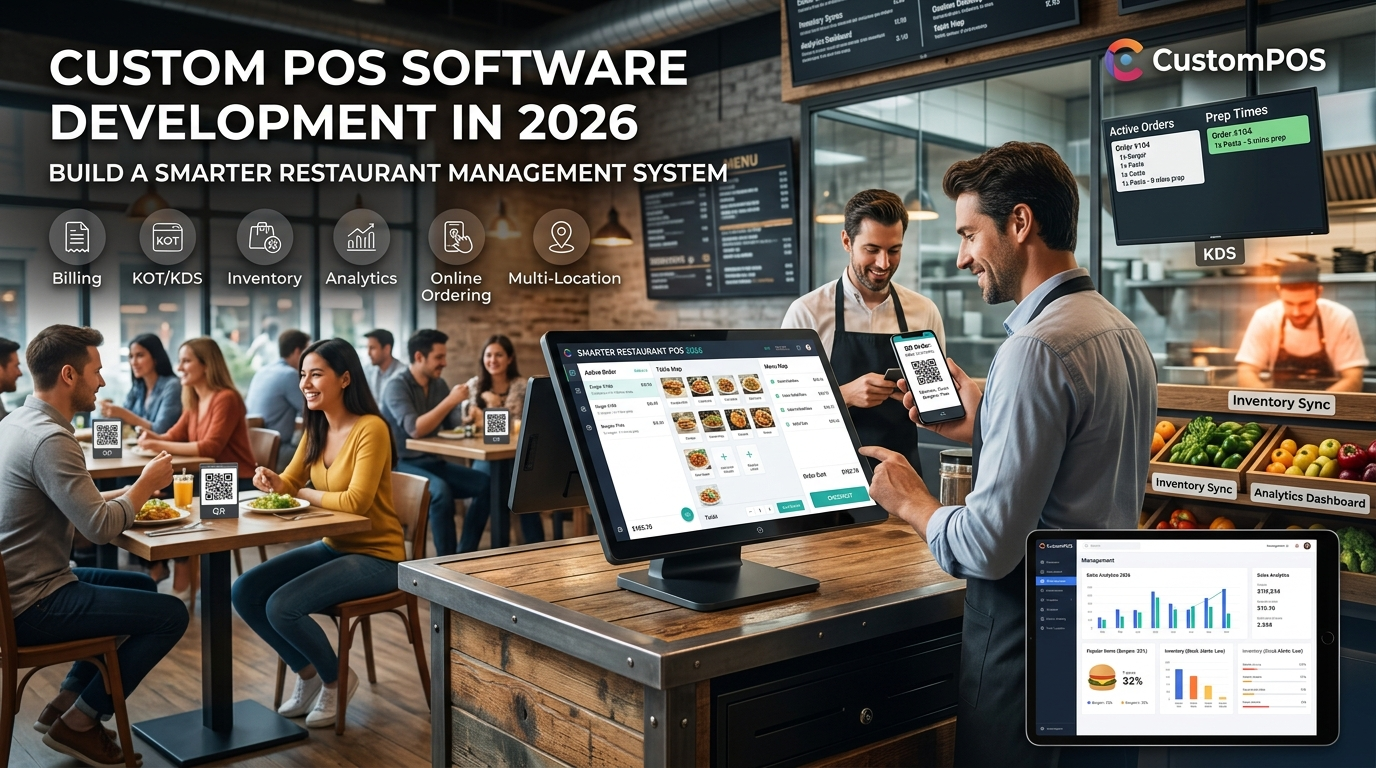
A modern restaurant needs more than a system that prints bills. Restaurants, cafés, hotels, QSRs, cloud kitchens, and retail businesses increasingly need technology that connects billing, orders, inventory, payments, kitchen operations, customer data, and business analytics in one platform.
This is where custom POS software development can provide an advantage. Instead of adapting business processes to a generic POS product, businesses can build a custom POS system around their specific operational requirements.
In 2026, restaurant POS platforms are increasingly expected to support billing, KOT/KDS, table management, inventory, QR ordering, online orders, analytics, and multi-location operations.
What Is Custom POS Software?
Custom POS software is a point-of-sale system developed specifically for a business or industry.
A standard POS may provide a predefined set of features. A custom POS system can be designed around the company’s workflow, integrations, users, products, locations, payment methods, and reporting requirements.
A custom POS platform can include:
- POS billing
- Order management
- Table management
- Kitchen Order Tickets (KOT)
- Kitchen Display System (KDS)
- Inventory management
- Recipe and ingredient management
- Customer management
- Employee and role management
- Payment integration
- QR ordering
- Online ordering
- Loyalty programs
- Sales analytics
- Multi-location management
- Accounting integrations
Why Businesses Are Moving Toward Custom POS Systems
Restaurant operations can vary significantly.
A quick-service restaurant may need rapid counter billing and kitchen routing, while a fine-dining restaurant may require table management, split bills, reservations, and detailed customer information.
A cloud kitchen may prioritize delivery orders and inventory, while a multi-location restaurant chain may require centralized reporting and branch-level controls.
A custom POS allows the software architecture to reflect these differences.
1. Faster Restaurant Operations
A well-designed POS can connect order taking, billing, kitchen communication, and payment processing.
For example:
Customer Order → POS → Kitchen → Preparation → Billing → Payment → Reporting
When these workflows are connected, staff can spend less time switching between separate systems.
2. Centralized Order Management
Restaurants may receive orders from multiple channels, including:
- Dine-in
- Takeaway
- Delivery
- QR ordering
- Online ordering
- Self-service kiosks
A custom POS can be designed to bring these orders into a unified workflow.
This can help restaurant teams manage orders consistently across different sales channels.
3. Kitchen Management With KOT and KDS
Kitchen communication is one of the most important components of restaurant software.
A custom POS can send orders directly to the appropriate kitchen station through:
- Kitchen Order Tickets
- Kitchen Display Systems
- Printer routing
- Station-based order management
- Order status tracking
Modern restaurant POS platforms commonly connect POS orders with KOT or KDS workflows to improve kitchen visibility.
4. Inventory and Recipe Management
Inventory management becomes increasingly important as restaurants grow.
A custom POS can connect sales with inventory consumption.
For example, when a restaurant sells a specific menu item, the system can associate that sale with the ingredients used in its recipe.
The platform can then support:
- Ingredient tracking
- Stock adjustments
- Purchase management
- Low-stock alerts
- Wastage tracking
- Recipe management
- Supplier management
- Outlet-wise inventory
This gives restaurant owners greater visibility into stock movement and food-cost-related operations.
5. Custom Payment Integration
Businesses often use multiple payment methods.
A custom POS can be designed to support workflows for:
- Cash
- Cards
- UPI
- Digital wallets
- Payment gateways
- Split payments
- Partial payments
The exact payment architecture depends on the business model and payment providers being used.
6. QR Ordering and Digital Menus
QR ordering has become an important feature for modern restaurants.
A typical workflow can be:
Scan QR → View Menu → Select Items → Place Order → Kitchen → Payment
This can reduce dependence on manual order entry and provide customers with a convenient ordering experience.
Modern restaurant platforms increasingly combine QR menus and ordering with POS and kitchen workflows.
7. Real-Time Restaurant Analytics
Restaurant owners need more than total sales numbers.
A custom POS dashboard can provide information such as:
- Daily sales
- Hourly sales
- Best-selling products
- Category performance
- Payment breakdown
- Discounts
- Refunds
- Outlet performance
- Staff activity
- Inventory movement
- Order volume
Analytics can help management understand how the business is performing and identify areas requiring attention.
8. Multi-Branch POS Management
Restaurant chains and growing businesses often need centralized control.
A custom POS platform can allow headquarters to manage multiple outlets while individual branches operate independently.
Possible features include:
- Centralized menu management
- Branch-level inventory
- Outlet-wise sales
- Staff permissions
- Central reporting
- Product synchronization
- Branch comparison
- Centralized customer data
This architecture can be particularly useful when a business expands from one location to multiple outlets.
Custom POS Software for Different Businesses
Custom POS development is not limited to restaurants.
Restaurant POS Software
Restaurant POS systems can combine billing, tables, KOT, kitchen operations, inventory, payments, and reporting.
Café POS Software
Cafés may require fast counter billing, product modifiers, loyalty programs, inventory, and digital ordering.
QSR POS Software
Quick-service restaurants generally prioritize speed, order accuracy, kitchen routing, and high-volume transactions.
Cloud Kitchen POS Software
Cloud kitchens can benefit from centralized order management, inventory control, kitchen workflows, and delivery integration.
Hotel POS Software
Hotels may require POS systems that integrate restaurant operations with broader hospitality workflows.
Retail POS Software
Retail businesses can require product catalogs, barcode scanning, inventory, customer management, payments, and reporting.
Custom POS vs Ready-Made POS Software
The choice between custom and ready-made POS software depends on the business requirements.
| Requirement | Ready-Made POS | Custom POS |
|---|---|---|
| Standard billing | Usually available | Available |
| Custom workflows | Limited | Designed specifically |
| Custom integrations | Depends on vendor | Can be developed |
| Industry-specific features | Depends on product | Fully configurable |
| UI customization | Limited | High |
| Business-specific reports | May be limited | Customizable |
| Multi-location architecture | Product dependent | Designed for requirements |
| Third-party integrations | Available options | Custom integration possible |
| Long-term flexibility | Vendor dependent | Greater control |
A ready-made POS may be appropriate when a business needs standard functionality quickly. Custom POS development becomes more relevant when unique workflows, integrations, or scalability requirements cannot be handled effectively by an off-the-shelf system.
How Custom POS Software Development Works
A successful POS project generally starts with business and technical requirements rather than coding immediately.
Step 1: Business Requirement Analysis
The development team identifies:
- Business type
- Number of locations
- User roles
- Order channels
- Payment methods
- Inventory requirements
- Reporting needs
- Existing software
- Required integrations
Step 2: UI/UX Design
The interface should be designed around the people who will use the POS every day.
Cashiers, waiters, managers, kitchen staff, and administrators may require different screens and permissions.
Step 3: POS Architecture
The development team defines the technical architecture, database structure, APIs, authentication, integrations, and infrastructure.
Step 4: Development
The required modules are developed and integrated.
Typical components include:
- Frontend POS interface
- Backend APIs
- Database
- Admin dashboard
- Payment integrations
- Inventory module
- Reporting engine
- Kitchen management
- Customer management
Step 5: Testing
POS systems need extensive testing because they handle business-critical transactions.
Testing can include:
- Functional testing
- Payment testing
- Security testing
- Performance testing
- Integration testing
- Hardware testing
- Offline/online workflow testing
- User acceptance testing
Step 6: Deployment and Support
After deployment, businesses may require monitoring, maintenance, updates, integrations, and feature improvements.
Important Features to Include in a Custom POS System
Before starting development, businesses should define their required feature set.
Core POS Features
- Fast billing
- Product management
- Order management
- Discounts
- Taxes
- Receipts
- Returns and refunds
- Multiple payment methods
Restaurant Features
- Table management
- KOT
- KDS
- Menu management
- Modifiers
- QR ordering
- Takeaway
- Delivery
Business Management Features
- Inventory
- Suppliers
- Purchasing
- Staff management
- Customer management
- Loyalty
- Expenses
- Reports
Advanced Features
- Multi-location support
- Cloud dashboard
- API integrations
- AI-powered analytics
- Demand forecasting
- Automated alerts
- Custom reporting
- Third-party integrations
AI-Powered POS Software
Artificial intelligence is also becoming part of modern business software.
AI can potentially be used for:
- Sales forecasting
- Demand prediction
- Product recommendations
- Customer segmentation
- Automated reports
- Anomaly detection
- Inventory forecasting
- Intelligent business insights
The value of AI depends on data quality, business requirements, and how the AI capability is integrated into the overall POS workflow.
How Much Does Custom POS Software Development Cost?
There is no single price for custom POS development because the cost depends on the project’s scope.
Important cost factors include:
- Number of modules
- Number of platforms
- UI/UX requirements
- Payment integrations
- Inventory complexity
- Hardware integrations
- Number of branches
- Third-party integrations
- Cloud infrastructure
- Security requirements
- AI functionality
- Ongoing maintenance
A basic POS application will have very different development requirements from a multi-branch enterprise POS platform.
For this reason, businesses should define the MVP and future roadmap before requesting a final development estimate.
Security Considerations for POS Software
POS systems process valuable business and customer information, making security an important part of development.
A custom POS platform should consider:
- Secure authentication
- Role-based access control
- Data encryption
- API security
- Secure payment integration
- Audit logs
- Database security
- Backup and recovery
- Monitoring
- Secure third-party integrations
Businesses handling payment card data should also determine the applicable PCI DSS responsibilities for their architecture and payment flows.
Why Choose CustomPOS for POS Software Development?
CustomPOS focuses on developing POS solutions around the operational requirements of businesses.
A custom development approach can help businesses create software for restaurants, cafés, QSRs, hotels, retail businesses, and other organizations that need specialized point-of-sale workflows.
A custom POS development project can include:
- POS application development
- Restaurant management software
- Retail POS development
- Inventory management
- Payment integration
- KOT/KDS integration
- QR ordering
- Multi-location POS
- Customer management
- Business analytics
- Custom API integrations
The objective is to create a POS platform that fits the business instead of forcing the business to completely change its workflow around generic software.
Frequently Asked Questions
What is custom POS software development?
Custom POS software development is the process of designing and developing point-of-sale software according to a business’s specific operational, payment, inventory, reporting, and integration requirements.
How long does it take to build a custom POS system?
Development time depends on the number of features, integrations, platforms, hardware requirements, and complexity of the business workflow. A focused MVP generally requires less development time than a complete enterprise POS platform.
Can a custom POS integrate with existing software?
Yes. Custom POS systems can be designed with APIs and integrations for payment systems, accounting platforms, inventory systems, CRM platforms, online ordering systems, and other business applications.
Can POS software support multiple restaurants?
Yes. A custom POS architecture can support multiple branches, centralized administration, branch-level permissions, inventory management, and consolidated reporting.
Can AI be added to a POS system?
Yes. AI functionality can be incorporated for use cases such as forecasting, recommendations, analytics, automated reporting, and anomaly detection.
Is custom POS software suitable for small restaurants?
It can be, particularly when a restaurant has specific workflows or plans to scale. However, businesses should compare the development investment with the cost and capabilities of suitable ready-made POS products before deciding.
Conclusion
A modern POS system is becoming much more than a billing application. It can connect orders, kitchen operations, inventory, payments, customers, employees, analytics, and multiple business locations through one technology platform.
For businesses with specialized workflows or long-term expansion plans, custom POS software development provides an opportunity to build the features, integrations, and architecture around their actual requirements.
CustomPOS can help businesses plan and develop tailored POS solutions designed around their operational workflows, customer experience, integrations, and growth requirements.