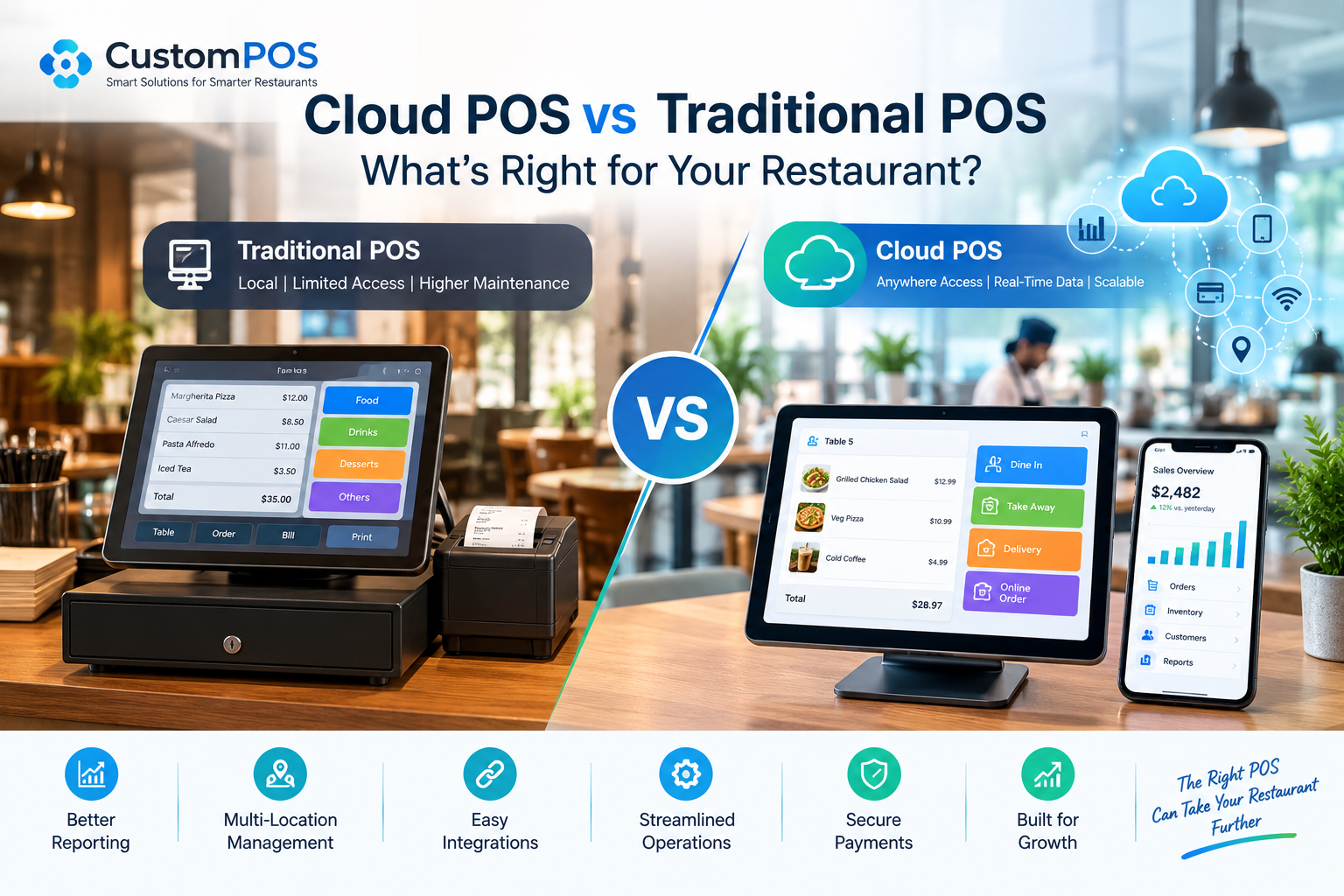
Running a restaurant today requires much more than processing payments.
Restaurant owners need to manage orders, tables, inventory, employees, customers, menus, payments, and financial reporting—all while delivering fast and reliable service.
A Point of Sale (POS) system sits at the center of many of these operations.
But as restaurant technology evolves, owners increasingly face an important question:
Should you continue using a traditional POS system, or move to a cloud-based POS solution?
The answer depends on the restaurant’s size, operational requirements, budget, connectivity, and plans for growth.
In this guide, we compare cloud POS and traditional POS systems and explain what restaurant businesses should consider before choosing a solution.
What Is a Traditional POS System?
A traditional POS system typically stores much of its software and data locally on the restaurant’s hardware or an on-site server.
The system can manage essential restaurant operations such as:
- Order processing
- Billing
- Menu management
- Table management
- Payment processing
- Basic reporting
- Employee management
Traditional POS systems have been used by restaurants for many years and can be reliable for businesses with relatively simple operational requirements.
However, they can become more difficult to manage when restaurants expand across multiple locations or require advanced integrations.
What Is a Cloud POS System?
A cloud POS system uses cloud infrastructure to store and process business information.
Authorized users can access relevant information through connected devices, depending on the system’s architecture and internet availability.
A modern cloud POS platform can connect restaurant operations across:
POS Terminals → Mobile Devices → Kitchen → Inventory → Payments → Customer Data → Management Dashboard
This connected approach can provide restaurant owners with greater visibility into daily operations.
Cloud POS vs Traditional POS: Key Differences
The biggest differences usually involve accessibility, data management, scalability, integrations, and maintenance.
1. Accessibility
With a traditional POS, management information may primarily be available through the restaurant’s local system.
Cloud POS platforms can provide remote access to dashboards and reports for authorized users.
For a restaurant owner managing multiple locations, this can be especially useful.
Instead of visiting every restaurant to review performance, management can access centralized information from a suitable device.
2. Data Management
Traditional systems often depend heavily on local infrastructure.
Cloud-based systems can synchronize business data with cloud services, allowing information to be centralized across connected locations.
This can help businesses maintain a more consistent view of:
- Sales
- Products
- Inventory
- Orders
- Customers
- Employees
- Locations
The exact capabilities depend on the POS architecture and implementation.
3. Multi-Location Management
A single restaurant may have a relatively simple technology setup.
A restaurant group is different.
When a business operates multiple locations, management may need to coordinate:
- Menus
- Pricing
- Inventory
- Promotions
- Employees
- Sales reporting
- Customer information
A scalable multi-location POS system can help centralize these operations.
This is one reason cloud-based architecture can be attractive to growing restaurant groups.
4. Software Updates
Traditional POS environments may require software updates or maintenance on individual systems.
Cloud-based POS platforms can centralize software updates, depending on the provider and architecture.
This can reduce the amount of manual maintenance required across multiple locations.
For restaurant businesses, reducing technology maintenance can allow employees to focus more on operations and customer service.
5. Integrations
Modern restaurants rarely use their POS system alone.
A restaurant may need integrations with:
- Payment gateways
- Accounting software
- Online ordering platforms
- Delivery services
- Loyalty programs
- Customer relationship management systems
- Inventory management platforms
- Kitchen display systems
- Marketing platforms
A flexible POS architecture can make these integrations easier to manage.
For businesses with specialized workflows, custom POS development can provide greater flexibility than forcing operations into a standard software package.
Why Restaurants Are Moving Toward Connected POS Systems
Restaurant technology is becoming increasingly interconnected.
A customer might discover a restaurant through social media, place an online order, receive a loyalty reward, and later visit the physical restaurant.
Each interaction creates valuable operational and customer data.
A modern POS platform can act as a central point connecting these experiences.
For example:
Online Order
↓
POS System
↓
Kitchen
↓
Inventory
↓
Payment
↓
Customer Profile
↓
Analytics
When these systems communicate effectively, restaurants can gain a more complete view of their operations.
Cloud POS and Real-Time Restaurant Reporting
Restaurant managers need accurate information to make operational decisions.
A modern POS dashboard can provide information such as:
- Daily sales
- Best-selling items
- Slow-moving products
- Payment activity
- Order volume
- Employee performance
- Location-level performance
- Inventory information
For restaurant groups, centralized reporting can make it easier to compare operational data across locations.
Managers can use these insights to identify trends and investigate unusual changes in sales or inventory.
How POS Systems Can Improve Inventory Management
Food waste and inventory control are major concerns for restaurant operators.
A POS system connected with inventory functionality can help track product usage and sales activity.
For example, when a menu item is sold, the system can potentially associate the sale with corresponding inventory requirements.
This can help restaurants monitor:
- Ingredient usage
- Stock levels
- Product movement
- Purchasing requirements
- Potential waste
- Popular menu items
Advanced implementations can also connect POS data with forecasting and analytics systems.
AI and the Future of Restaurant POS
Artificial intelligence is changing how businesses analyze operational data.
AI can potentially help restaurants identify patterns that may be difficult to detect manually.
For example, AI-powered restaurant software could analyze:
- Historical sales
- Customer ordering behavior
- Menu performance
- Inventory trends
- Peak ordering periods
- Location-level performance
These insights could support decisions around staffing, inventory planning, promotions, and menu management.
However, AI should complement a strong POS foundation rather than replace the fundamentals.
Reliable order processing, secure payments, accurate data, and stable operations remain essential.
When Should a Restaurant Consider Custom POS Development?
A standard POS system may be sufficient for many restaurants.
However, custom POS development can make sense when a business has specialized requirements that existing products cannot efficiently support.
Examples include:
Restaurant Chains
Large restaurant groups may need centralized management across many locations.
Hospitality Businesses
Hotels and hospitality companies may require POS functionality integrated with reservations, guest services, room management, and other systems.
Unique Business Models
Restaurants with specialized ordering, pricing, membership, or operational processes may need a customized platform.
Complex Integrations
Businesses that need several third-party integrations may benefit from a POS architecture designed around their specific technology ecosystem.
Enterprise Operations
Large businesses may require custom reporting, role-based access, workflows, and integrations that go beyond standard POS functionality.
Important Features of a Modern Restaurant POS
When evaluating a POS platform, restaurant owners should look for capabilities that match their current and future requirements.
Important features can include:
Order Management
Fast and accurate order entry across different ordering channels.
Table Management
Visual table layouts, table status, transfers, and order tracking.
Inventory Management
Monitoring products, ingredients, stock levels, and usage.
Payment Processing
Support for appropriate payment methods and secure transaction processing.
Employee Management
User roles, permissions, attendance, and performance tracking where required.
Customer Management
Customer profiles, purchase history, loyalty programs, and personalized experiences.
Reporting and Analytics
Sales reports, product performance, operational insights, and location-level reporting.
Multi-Location Support
Centralized management for restaurant groups and growing businesses.
Online Ordering
Integration with digital ordering channels and restaurant websites.
Kitchen Integration
Communication between front-of-house ordering and kitchen operations.
Security Should Be a Core POS Requirement
A POS system processes sensitive business and payment information.
Security should therefore be considered during the design and implementation of the system.
Important areas include:
- Secure authentication
- Role-based access
- Data encryption
- Secure APIs
- Payment security
- Audit logs
- Regular software updates
- Secure cloud infrastructure
Restaurants handling payment card information should also consider applicable payment security requirements and work with appropriate payment technology providers.
Cloud POS Does Not Mean “One Size Fits All”
Moving to the cloud does not automatically make a POS system suitable for every restaurant.
The right solution depends on the restaurant’s requirements.
A small independent restaurant may prioritize:
- Affordable pricing
- Simple billing
- Table management
- Inventory
- Easy setup
A growing restaurant chain may prioritize:
- Centralized management
- Multi-location reporting
- Custom integrations
- Advanced analytics
- Loyalty
- Online ordering
- Enterprise controls
The technology should be selected around the business—not the other way around.
Why Custom POS Solutions Matter for Growing Businesses
Restaurant operations can become complicated as a business grows.
A company may start with one location and eventually expand to multiple restaurants, delivery channels, loyalty programs, mobile ordering, and integrated payment systems.
A customizable POS architecture can provide a foundation for that growth.
Instead of replacing the entire system every time a new requirement appears, businesses can build or integrate additional functionality as their needs evolve.
That can make custom restaurant POS software particularly valuable for businesses with unique operational requirements.
How CustomPOS Developers Can Help
At CustomPOS Developers, the focus is on building POS solutions around specific business requirements.
Custom POS development can include capabilities such as:
- Restaurant POS software
- Retail POS systems
- Hotel POS solutions
- Multi-location POS
- Inventory management
- Online ordering integration
- Payment integration
- Customer loyalty
- Reporting dashboards
- Mobile POS applications
- Kitchen management
- Third-party API integrations
The goal is to create a POS platform that supports the way the business actually operates.
Cloud POS vs Traditional POS: What Should You Choose?
There is no universal POS system that fits every business.
Traditional POS systems can remain suitable for businesses that prefer locally managed infrastructure and have straightforward operational requirements.
Cloud-based POS platforms can provide advantages for businesses that need centralized access, multi-location management, integrations, and scalable operations.
For businesses with specialized workflows, a custom POS system can provide another option—combining the capabilities the business needs with an architecture designed around its operational model.
The most important step is to evaluate the restaurant’s current requirements while also considering where the business is expected to go next.
Final Thoughts
A restaurant POS system is no longer simply a machine for printing bills.
Modern POS technology can connect ordering, payments, inventory, customer management, analytics, online ordering, and multiple restaurant locations into a single technology ecosystem.
Cloud architecture can make this ecosystem more accessible and scalable, while custom POS development can provide flexibility for businesses with unique requirements.
Whether you operate a single restaurant, a growing restaurant chain, a hotel, or a retail business, choosing the right POS architecture can have a significant impact on daily operations and long-term growth.
Looking for a POS platform built around your business requirements?
CustomPOS Developers can help design and develop a scalable POS solution tailored to your workflows, integrations, and growth plans.
Comments