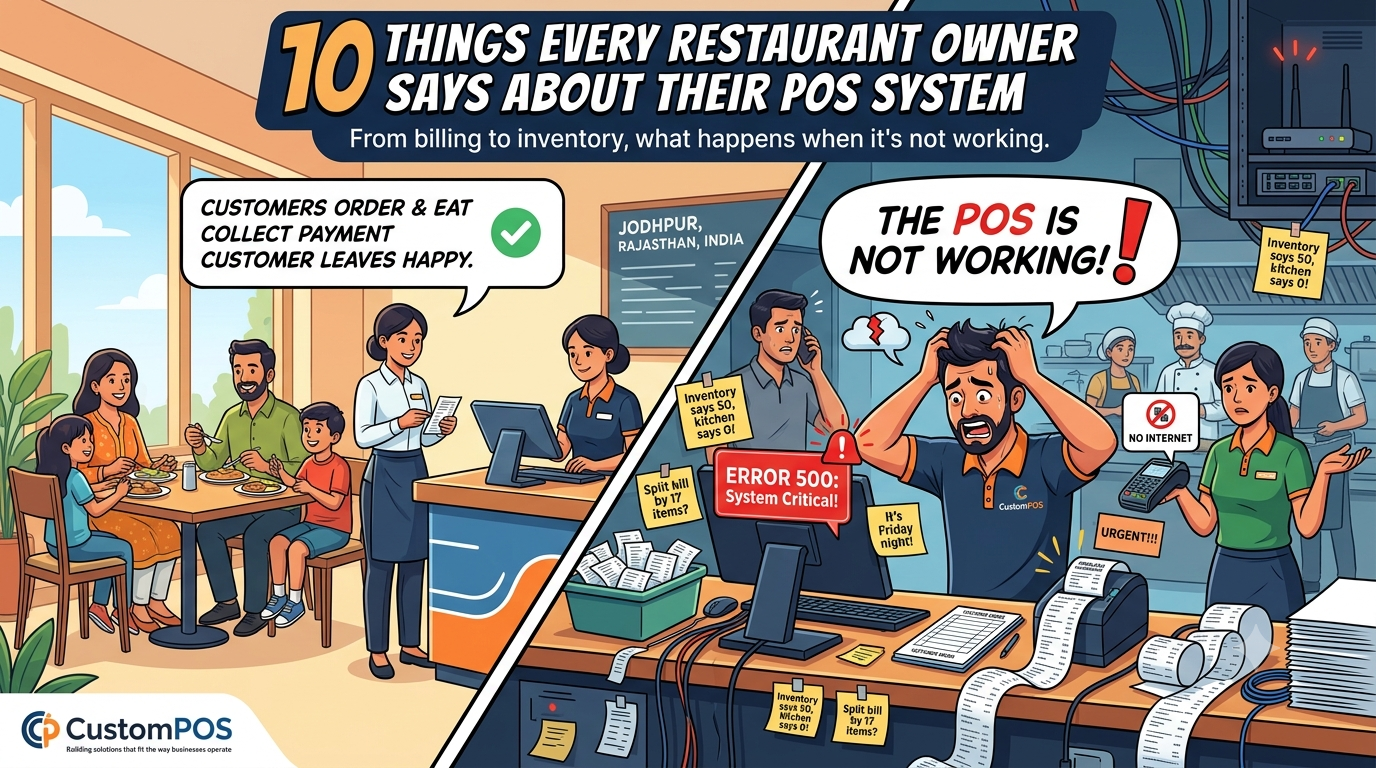
Running a restaurant looks easy from the outside.
Customers order food.
Kitchen prepares it.
Cashier collects payment.
Customer leaves happy.
Simple, right?
Then someone says:
“The POS is not working.”
And suddenly the entire restaurant stops moving.
A modern POS system is no longer just a machine for printing bills. It can manage orders, payments, inventory, kitchen operations, customer data, reports, and much more.
But behind every POS system is a collection of funny situations that restaurant owners, cashiers, managers, and developers know very well.
Here are 10 of them.
1. “The POS Is Slow Today”
Restaurant owner:
“The POS is very slow today.”
Developer:
“Did you check the internet?”
Owner:
“Yes.”
Developer:
“Is the application updated?”
“Yes.”
Developer:
“Did you restart it?”
Silence.
Owner:
“Should I restart it?”
Developer:
“Please.”
Sometimes the most advanced troubleshooting technique is still:
Turn it off and turn it on again.
2. “We Only Need Billing”
Restaurant owner:
“We only need a simple billing system.”
Developer:
“Sure. What features do you need?”
Owner:
“Billing.”
Five minutes later:
- Table management
- Online orders
- Kitchen display
- Inventory
- Customer loyalty
- Employee management
- Multiple branches
- Delivery integration
- Payment gateway
- Sales reports
- AI analytics
Developer:
“So… just billing?”
Owner:
“Yes. Keep it simple.”
3. The Printer Has Feelings
Everything is ready.
Customer has finished eating.
Cashier clicks:
Print Bill.
Nothing.
Clicks again.
Nothing.
Third click.
Printer suddenly prints seven copies.
Cashier:
“Why?”
Printer:
“Because you doubted me.”
POS hardware has a special talent for becoming unpredictable exactly when the restaurant is busiest.
4. “Inventory Says We Have 50”
The POS says:
50 bottles available.
The kitchen says:
There are none.
The manager checks the storage room.
Nothing.
The accountant checks the POS.
50.
Everyone looks at everyone.
Eventually someone asks:
“Did we actually enter the stock correctly?”
And there it is.
The mystery was not technology.
It was data entry.
A well-designed inventory management system can help reduce these problems by connecting purchases, sales, stock movements, and reporting.
5. Friday Night + POS Problem
Friday night.
Restaurant is full.
Every table is occupied.
Orders are coming in.
Kitchen is busy.
Delivery orders are arriving.
Then:
POS ERROR.
The manager looks at the screen.
The cashier looks at the manager.
The chef looks at the cashier.
The customer looks at everyone.
Meanwhile, the developer receives:
“URGENT!!!”
At 8:47 PM.
Of course.
6. “Can We Add One Small Feature?”
Developer:
“The POS system is ready.”
Restaurant owner:
“Excellent. Can we add one small feature?”
Developer:
“Sure.”
Owner:
“Just allow customers to split the bill.”
Developer:
“Okay.”
Owner:
“And split it by item.”
Developer:
“Okay…”
Owner:
“And some customers want different payment methods.”
Developer:
“Right…”
Owner:
“And it should automatically calculate tax, discounts and service charges.”
Developer:
“Anything else?”
Owner:
“No. That’s all.”
Developer quietly opens the development environment.
7. The Customer Who Wants 17 Changes
Customer:
“Can I change my order?”
Cashier:
“Sure.”
Customer:
“I want to remove the burger.”
Cashier removes burger.
Customer:
“Add pizza.”
Pizza added.
Customer:
“Actually, make it two pizzas.”
Quantity changed.
Customer:
“Wait, one pizza should be without cheese.”
Cashier:
“Of course.”
The POS system has officially become a negotiation platform.
That’s why flexible order management is important in restaurant POS software.
8. “The Internet Is Down”
Online payment stops.
Cloud dashboard isn’t loading.
Online orders aren’t coming through.
Someone says:
“The internet is down.”
Someone else says:
“No, Wi-Fi is working.”
Someone checks the router.
Someone restarts it.
Someone calls the internet provider.
Meanwhile, the cashier is standing there holding a card machine like it personally caused the problem.
Modern POS systems increasingly need reliable connectivity, synchronization, and sensible offline or recovery strategies to keep business operations moving.
9. The Manager Discovers Reports
Restaurant manager:
“How much did we sell today?”
POS:
₹1,87,450
Manager:
“Excellent!”
Then:
“Which items sold the most?”
POS:
Top 10 products.
Manager:
“Interesting.”
Then:
“Which branch performed best?”
POS:
Report ready.
Then:
“What time are we busiest?”
POS:
Analytics ready.
Manager:
“Why didn’t we have this last year?”
The best POS systems don’t just process transactions.
They turn daily sales data into information that businesses can actually use.
10. “Can the POS Do Everything?”
At some point, every restaurant owner discovers how powerful modern POS software can be.
They want:
Billing + inventory + kitchen + payments + employees + customers + loyalty + analytics + online ordering + multiple locations.
And then they ask:
“Can it make coffee too?”
Unfortunately, that’s still the kitchen’s job.
What a Modern Custom POS System Can Actually Do
A well-designed custom POS software solution can connect multiple parts of a business in one platform.
Depending on the business requirements, it can include:
- Fast billing and invoicing
- Restaurant table management
- Kitchen order management
- Inventory tracking
- Payment integration
- Customer management
- Loyalty programs
- Employee management
- Multi-location management
- Online ordering integration
- Sales and financial reporting
- Real-time analytics
- Cloud-based dashboards
- Third-party integrations
The biggest advantage of custom POS development is flexibility.
Instead of forcing a restaurant, hotel, retail store, or other business to completely change its workflow to match generic software, a custom POS solution can be designed around the actual business process.
Final Thoughts
A POS system may look like a simple screen at the checkout counter.
Behind that screen can be an entire technology ecosystem connecting orders, inventory, payments, employees, customers, kitchens, and business analytics.
And yes, sometimes the printer will still decide not to cooperate.
That’s life.
At CustomPOS, the focus is on building POS solutions that fit the way businesses actually operate—whether it’s a restaurant, hotel, retail store, café, QSR, or multi-location business.
Because the perfect POS system should do one important thing:
Make business easier—not make the manager want to throw the computer out the window.
Comments